
Does Loon Vape Use USB-C Charging? Loon Air and Air Plus Guide
Some rechargeable Loon vape models use USB-C, but it is not safe to assume that every model does. Charging features can vary by product, market and version. For a specific Loon Air or Loon Air Plus, check the packaging or instructions for that exact device before connecting a cable.
A USB-C-shaped port alone doesn’t confirm that a device is rechargeable or that a particular charger is suitable. The product’s charging instructions are the most reliable guide.
Quick answer: If the instructions for your exact Loon vape say it is rechargeable and specify USB Type-C, then it uses USB-C charging. If the product is labeled non-rechargeable—or the instructions don’t confirm that it can be charged—don’t connect it to power.
Health and age note: Nicotine is addictive, and vaping is not risk-free. Follow local age and product regulations. People who do not use nicotine should not start.
Is the Loon Air USB-C rechargeable?
Charging details can depend on the exact Loon Air vape and its version. Don’t assume a specification shown for one Loon Air product applies to every device in the range—or to the Loon Air Plus.
Check the package, instruction leaflet or current product information for terms such as “USB-C,” “USB Type-C” or “Type-C charging.” If a retailer listing says the device uses USB-C but the package does not, ask the retailer or manufacturer to confirm the information for that specific model.
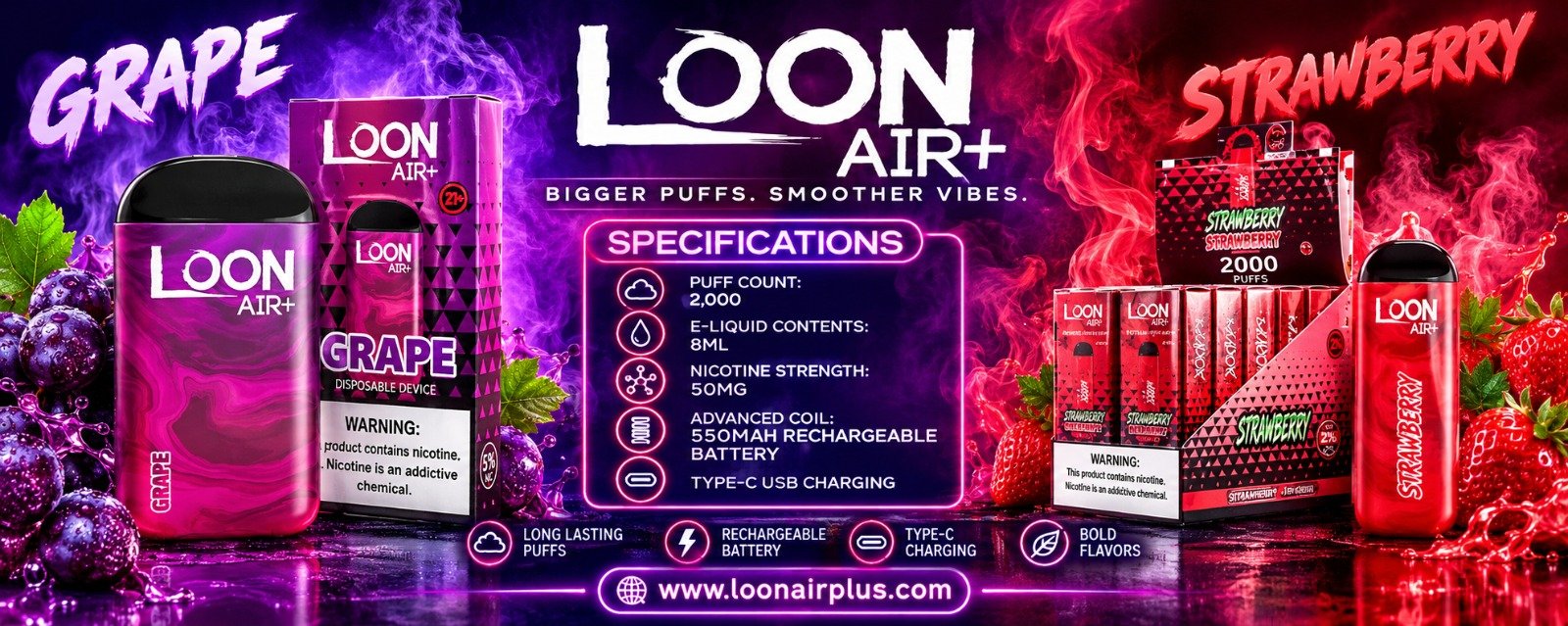
Does the Loon Air Plus use USB-C?
The charging method for a Loon Air Plus should be verified from its own packaging or instructions. A similar product name, product photo or listing for another Loon model is not enough to confirm the port type or whether the device is rechargeable.
If the product instructions confirm USB-C charging, follow the stated guidance for the cable and power source. If you cannot confirm that the device is rechargeable, don’t experiment with cables or adapters. Contact the seller or manufacturer first.
How to identify a USB-C port on a Loon vape
USB-C ports are generally oval-shaped and symmetrical, so the connector can be inserted either way. A micro-USB port is usually asymmetrical and fits in one orientation.
This shape can help you recognize a connector, but it does not prove that the device is safe to charge. A port’s appearance cannot confirm its charging requirements, battery condition or compatibility with a particular power source. Never force a cable into a port.
Also, USB-C describes the connector, not necessarily the charging speed. A USB-C port does not automatically mean that a device supports fast charging or every USB-C adapter.
What to check before charging a Loon Air vape
Use this checklist to compare Loon Air vape safely:
- Confirm the exact model. Check the full product name and any model or version information on the package.
- Look for rechargeable instructions. Don’t rely on a product image or the word “disposable” to determine whether charging is allowed.
- Verify the port type. Look for USB-C or USB Type-C in the product-specific instructions.
- Follow the stated charging guidance. Use only the cable and power source recommended for that model.
- Inspect the device. Don’t charge a device that is damaged, leaking, unusually hot or showing signs of battery damage.
- Stop if anything seems wrong. Disconnect it if safe to do so and contact the seller or manufacturer for guidance.
Do not open, dismantle or modify a vape to access its battery. Keep devices and charging cables away from children and pets, and follow local rules for battery and electronic-waste disposal.
Are disposable Loon vape rechargeable?
The word “disposable” does not, on its own, tell you whether a device can be recharged. Some disposable-style devices may be rechargeable; others may not be intended for charging. Follow the instructions for the exact product.
If the package says the device is non-rechargeable, or provides no charging instructions, don’t try to charge it. Do not attempt to refill or dismantle it.
ing elit. Ut elit tellus, luctus nec ullamcorper mattis, pulvinar dapibus leo.
Do flavor or nicotine details affect USB-C charging?
Flavor and nicotine information do not identify the charging port. Flavor options can vary by model, region and date, so check the flavor printed on the package and compare it with current product information for the relevant market. An old retailer listing may not reflect the current range.
Nicotine labeling is also separate from charging compatibility. Read the product label carefully, including its units, and follow local regulations. Nicotine is addictive, and vaping is not risk-free.
Does Loon Air price indicate whether it uses USB-C?
No. Loon Air price and charging compatibility are separate details. Prices can vary by retailer, location, taxes, shipping, date and product version. A price does not confirm that a device is rechargeable, identify its port or establish that it is authentic.
When comparing a Loon Air with a Loon Air Plus, make sure the price and specifications refer to the exact model and package. If a listing is unclear or conflicts with the product label, ask the seller or manufacturer to clarify it.
FAQ
Can I use any USB-C cable with a Loon Air Plus?
Not necessarily. Follow the instructions for the exact model and use the cable and power source recommended by the manufacturer. The USB-C connector alone does not establish the device’s electrical requirements.
Does a USB-C port mean a Loon vape supports fast charging?
No. USB-C identifies a connector type; it does not confirm charging speed or power requirements. Check the product-specific instructions.
Can I charge my Loon vape if I’m not sure it is rechargeable?
No. If the package or instructions don’t clearly confirm that charging is allowed, don’t connect the device to power. Contact the seller or manufacturer for guidance.
Do Loon Air and Loon Air Plus have the same charging port?
Don’t assume they do. Check the instructions for each exact model and version.
Bottom line: check the exact Loon vape model
Some rechargeable Loon vape models use USB-C, but charging compatibility is model-specific. Verify that your exact Loon Air, Loon Air Plus or other Loon device is rechargeable and that its instructions specify USB-C before charging it. If the information is missing or unclear, don’t guess—ask the seller or manufacturer.
